Designing Enterprise Software for Complex Power Generation Operations
Power generation teams manage complex equipment, operational data, and maintenance documentation across large-scale facilities. TOMONI Hub was designed to make this information easier to access, understand, and act on.
Role
Interactive Designer focused on UX/UI, conversational interfaces, and complex enterprise workflows.
Operational UI Design Information Architecture Design System Contributions Voice Interface Design Interaction Design Stakeholder Presentations Cross Functional Collaboration Implementation Support Design QA
Platform at Scale
Mitsubishi Power developed TOMONI Hub to help operators monitor equipment, investigate issues, and improve plant reliability through AI assisted operational intelligence.
My work focused on designing the interfaces, workflows, information architecture, and voice experiences that supported these capabilities.
The following metrics describe the published scale and operational performance of the TOMONI platform rather than my individual contributions.
145+
Connected Power Plants
680,000+
Live Operational Data Points
24/7
Remote Monitoring & Diagnostics
2 to 4 Days
Less Unplanned Downtime*
3 to 4 Days
Less Planned Downtime*
Millions
Annual Operational Value*
*Published platform outcomes reported by Mitsubishi Power. These results describe deployed TOMONI implementations and are included to provide product context rather than attribute individual impact.
Table of Contents
Overview
Project Snapshot
Challenge
Support faster operational decision making by unifying the systems and information behind complex power plant operations.
Role
Designed operational UI concepts, information architecture, voice interaction patterns, and system-level artifacts for TOMONI Hub, collaborating with stakeholders and engineering teams through implementation.
Focus
Designed operational interfaces that connected monitoring, technical documentation, and voice interaction into a unified enterprise experience.
Outcome
Contributed to the UX of an enterprise operational intelligence platform supporting more than 145 connected power plants, processing 680,000+ live operational data points, and enabling 24/7 remote monitoring. Published customer deployments report reductions in planned and unplanned downtime through AI assisted operational optimization.
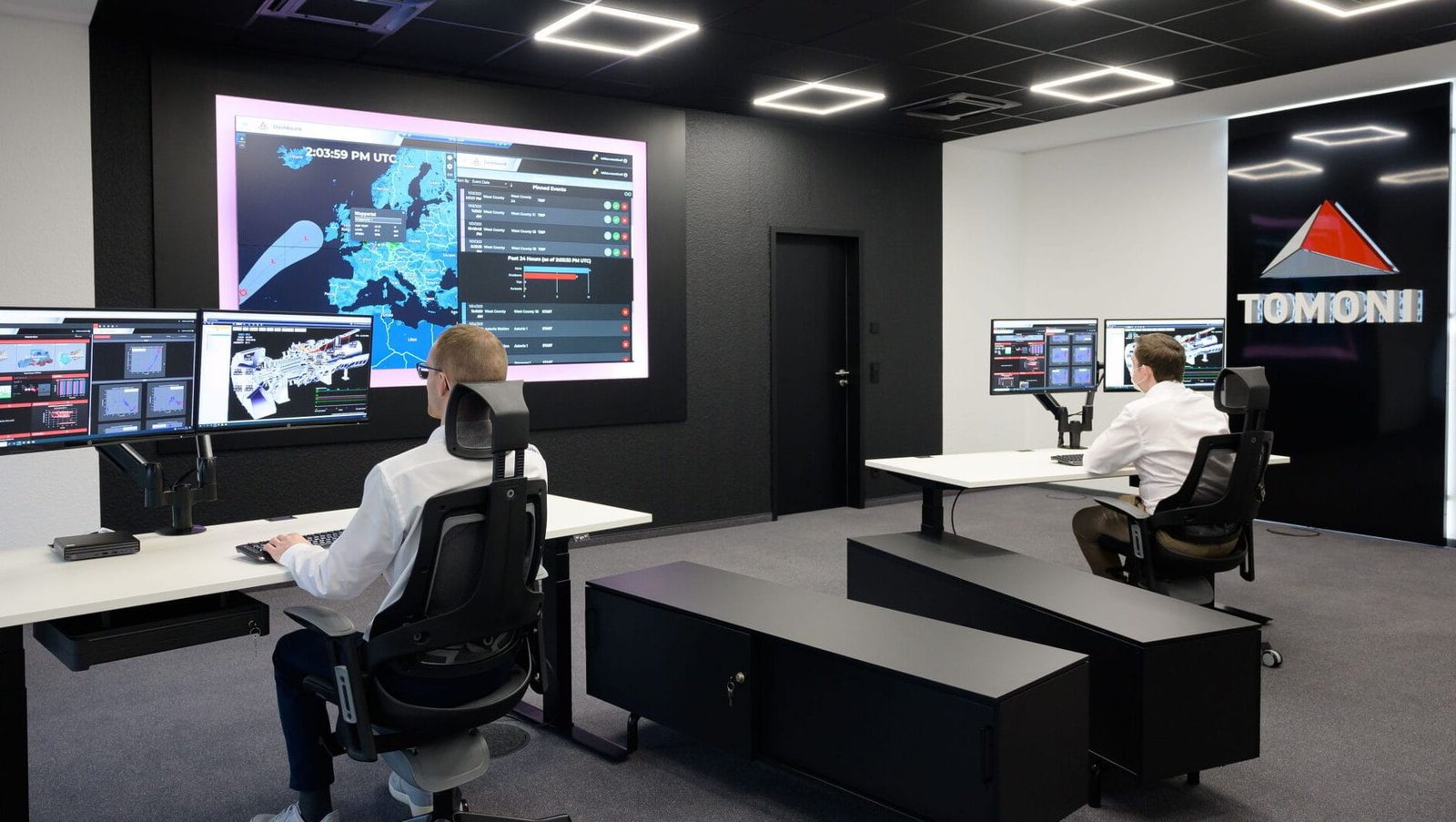
Mitsubishi Power's Tomoni Hub provides centralized monitoring and operational support for power generation facilities around the world.
Business Context
Turning an Ambitious Vision into an Operational Product
Mitsubishi Power set out to create a unified operational intelligence platform that brought together equipment monitoring, technical documentation, predictive analytics, and voice interaction into a single workspace for power plant operators. The goal was to make critical operational information easier to access, helping operators monitor equipment, investigate issues, and make informed decisions without moving between disconnected systems.
When I joined the project, that vision had already been established. My work focused on translating it into product experiences through operational interfaces, information architecture, and voice interaction design. As the platform evolved, the conversation shifted from what the product could do to what operators actually needed to accomplish during day to day operations.
The question became less about building new capabilities and more about helping operators find reliable information with less effort. That perspective shaped the work that followed.
Discovery
Designing with Limited Access to Users
I joined the project after the initial discovery phase had been completed. The team was designing from stakeholder research, operational requirements, and input from power generation subject matter experts rather than direct access to plant operators.
As I worked through the existing research, I realized there were questions we couldn’t confidently answer. New operating scenarios, turbine configurations, and documentation requirements continued to surface throughout the project, but we had no way to validate those decisions directly with the people using the product.
I pushed for additional research to better understand how operators worked in those situations, but direct access wasn’t available.
Instead, I worked closely with the project manager and subject matter experts, treating each new scenario as an opportunity to validate assumptions, review workflows, and refine the experience before implementation.
It wasn’t a replacement for user research, but it was the closest we could get.
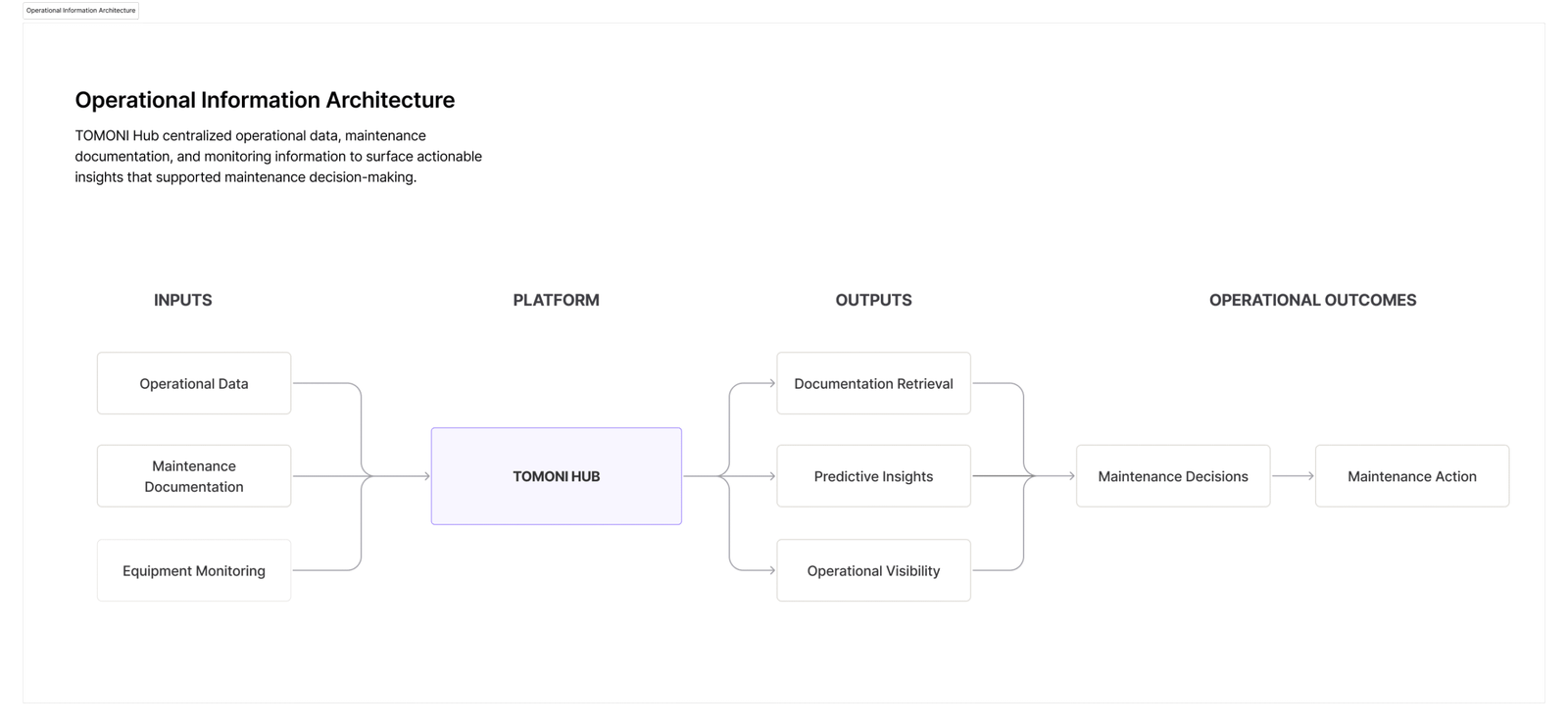
Organizing operational data into connected workflows made it easier for operators to move between monitoring, diagnostics, and maintenance information.
Design Approach
Prioritizing Operational Information
Power plant operators rely on information from many different sources. Equipment monitoring, predictive analytics, weather conditions, alarms, and technical documentation all contribute to understanding what’s happening across the plant. Each serves a different purpose, but they don’t all require the same level of attention.
Throughout the project, I worked to organize information around operational priority. Critical events surfaced first, while supporting information remained connected and available as operators investigated an issue.
Voice Interaction
Combining Voice and Visual Interfaces
Voice interaction became another way to access operational information, but it was only one part of the workflow.
Operators still needed to review equipment history, compare performance trends, and reference technical documentation before making operational decisions. A spoken response could answer a question quickly, but the interface provided the context needed to interpret that information.
Voice requests returned structured visual responses that operators could review immediately. Follow up prompts made it possible to refine a request, ask additional questions, or continue exploring the same topic without starting over.
Designing voice and visual interactions together kept information connected as operators moved through the workflow, whether they began with a spoken question or the interface itself.
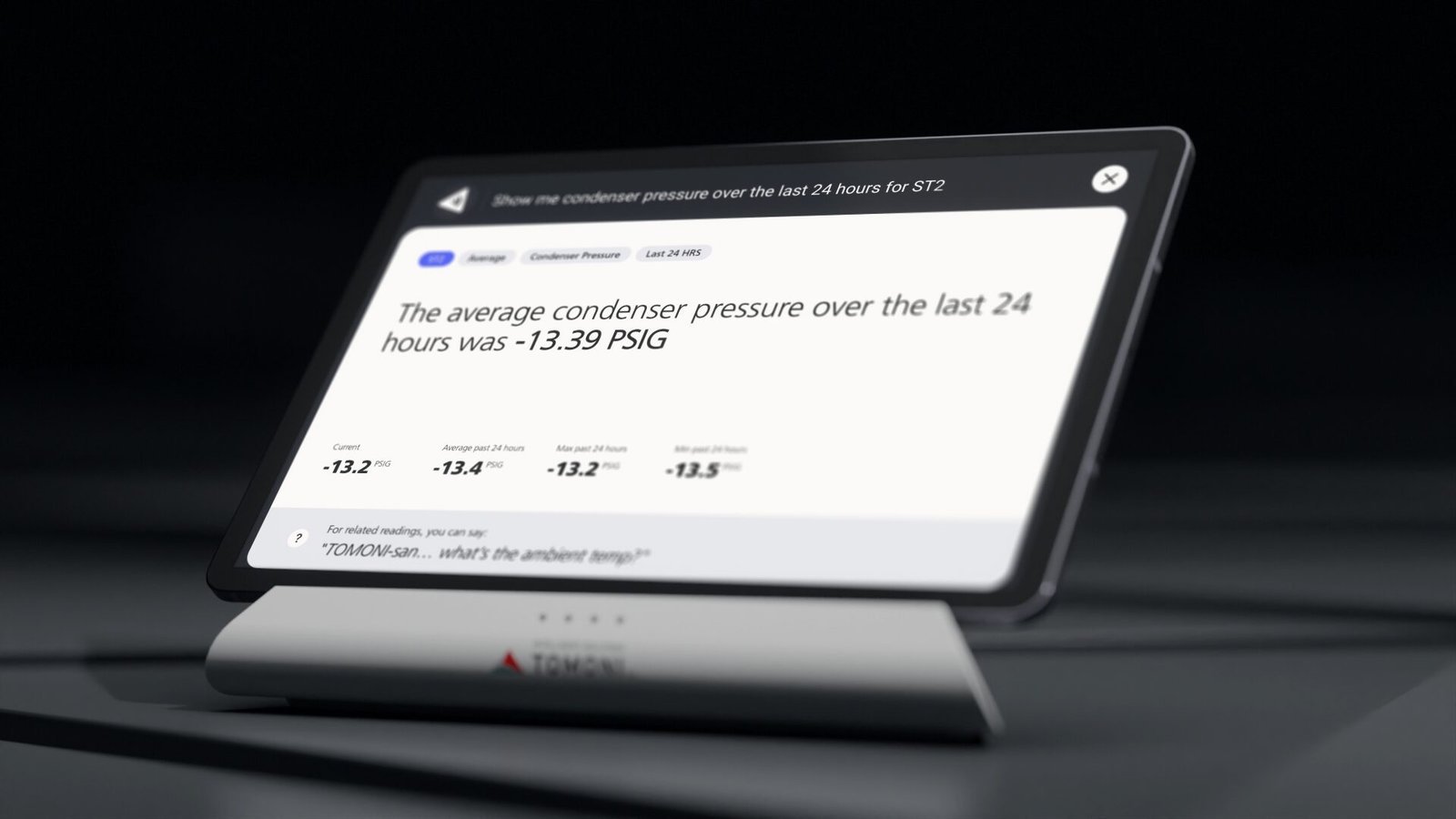
Voice query returning condenser pressure data with current values, historical trends, and suggested follow-up questions.
Document Retrieval
Reducing the Effort Required to Find Technical Documentation
Power plants rely on thousands of pages of maintenance manuals, engineering drawings, inspection reports, and technical documentation. Finding the right document often meant navigating large libraries before work could begin. During emergency maintenance, every second mattered.
The search experience needed to help operators recognize the correct document before opening it.
Deciding how much information to include in each result became an important information architecture decision. Short previews were easier to scan but often lacked enough context to distinguish similar documents. Longer previews improved recognition but reduced the number of results visible on screen.
I reviewed a large collection of OCR converted maintenance manuals looking for consistent patterns. Most documents surfaced identifying information in similar locations, making it possible to design previews around those patterns instead of treating every document differently.
The pattern wasn’t perfect, but it was consistent enough to support the majority of searches. We accepted the remaining edge cases rather than introducing additional complexity for a small percentage of documents.
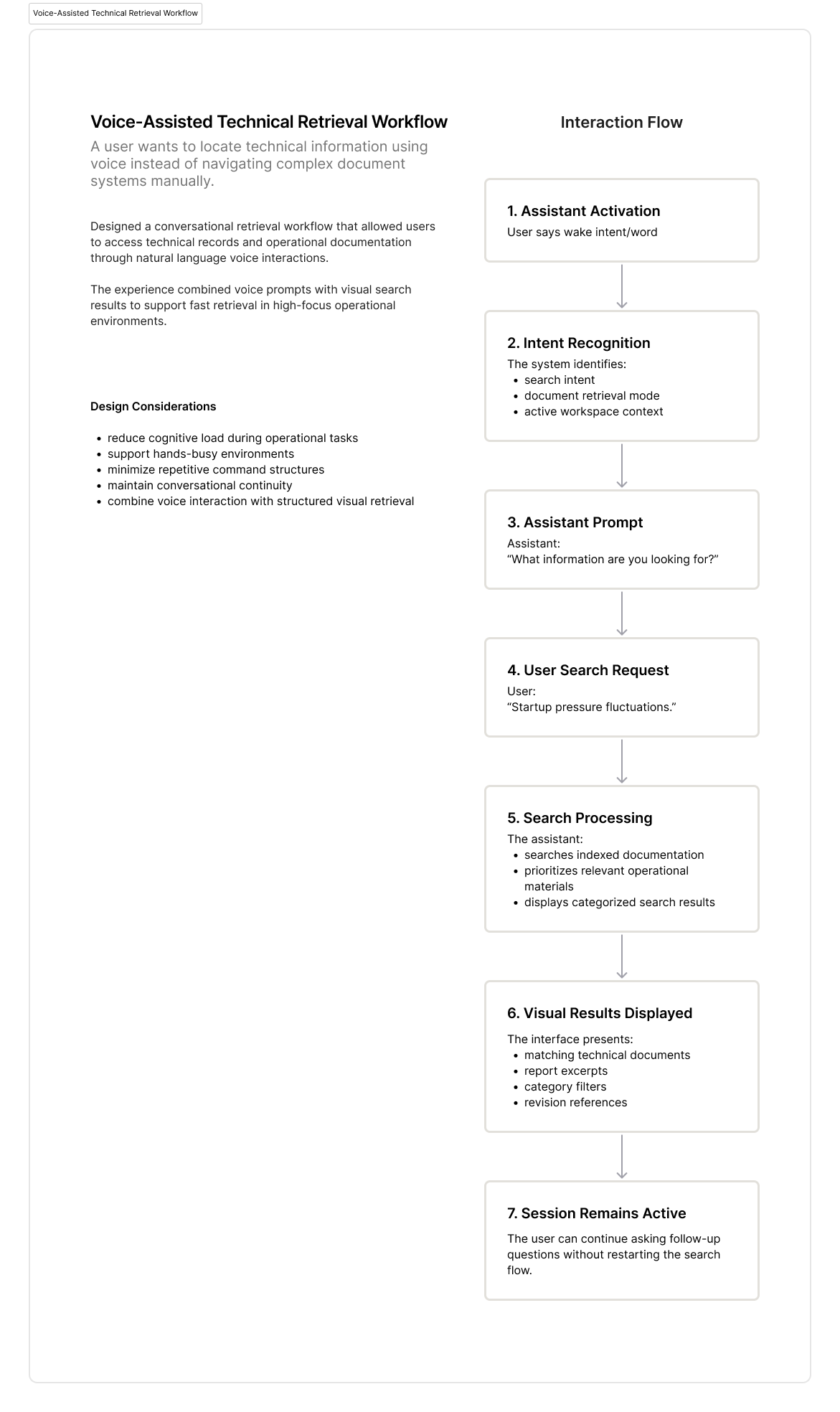
Conversational workflow mapping how users retrieved technical documentation through natural language requests.
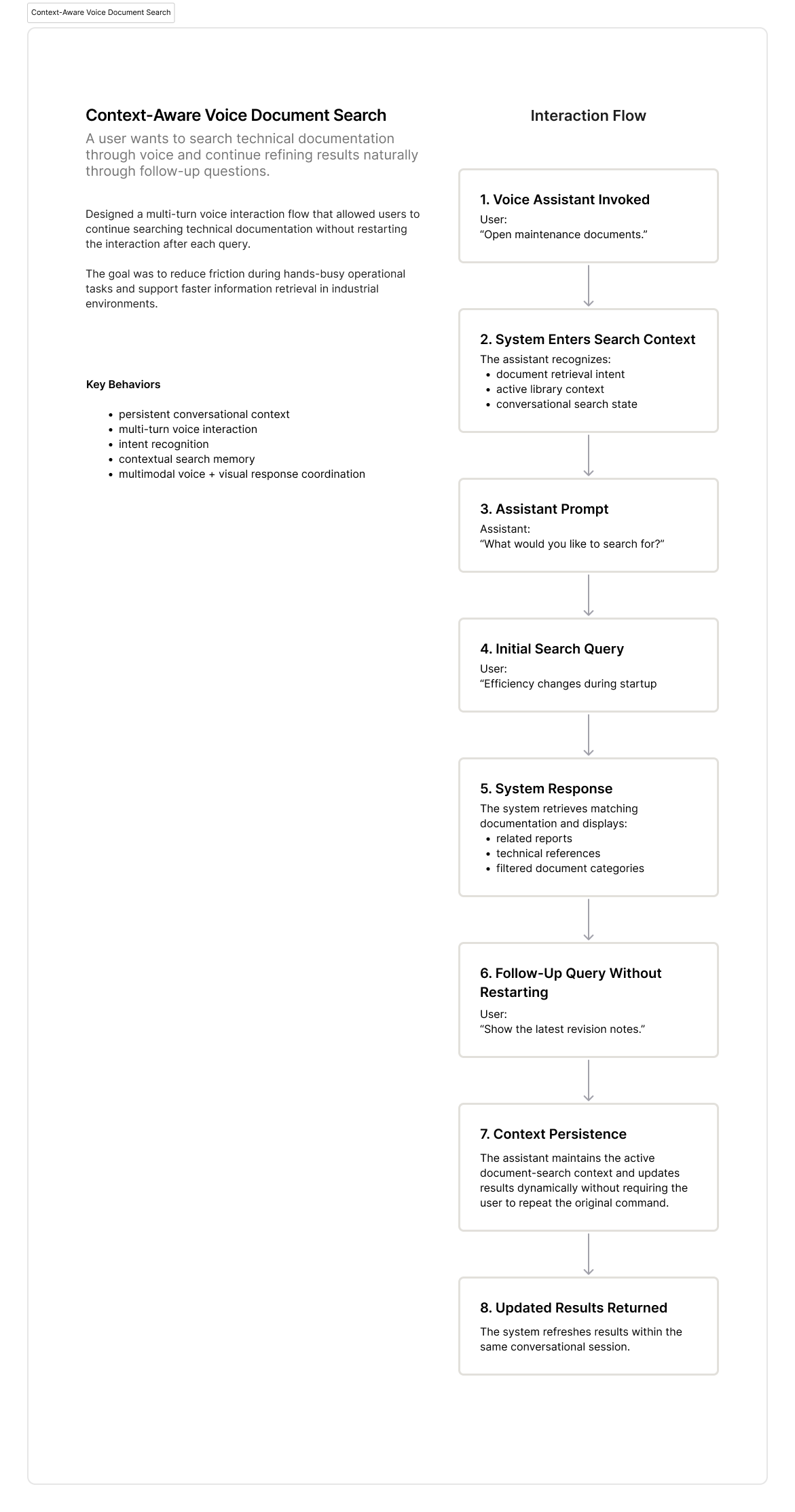
Voice interaction flow showing how conversational context was preserved across multiple document searches, allowing users to continue refining results within the same session.
Tradeoffs
Designing Within Technical and Operational Constraints
Every design decision involved competing priorities.
The product vision emphasized conversational interactions, while engineering constraints, budget, and timeline required more practical solutions.
Voice interactions needed to feel natural, but operators also needed predictable responses they could trust during operational work. Rather than attempting to support every possible request, the prompt library prioritized the questions operators were most likely to ask. Engineers expanded that coverage over time as additional usage patterns emerged.
Document retrieval presented similar decisions. Richer previews improved recognition, but they also reduced the number of results visible on screen. Shorter previews increased scanning speed but provided less context. Each interaction balanced speed, recognition, and the technical constraints of the platform.
The idea wasn’t to account for every possible scenario, but to make the most common operational tasks reliable while accepting that some edge cases would require a different path.
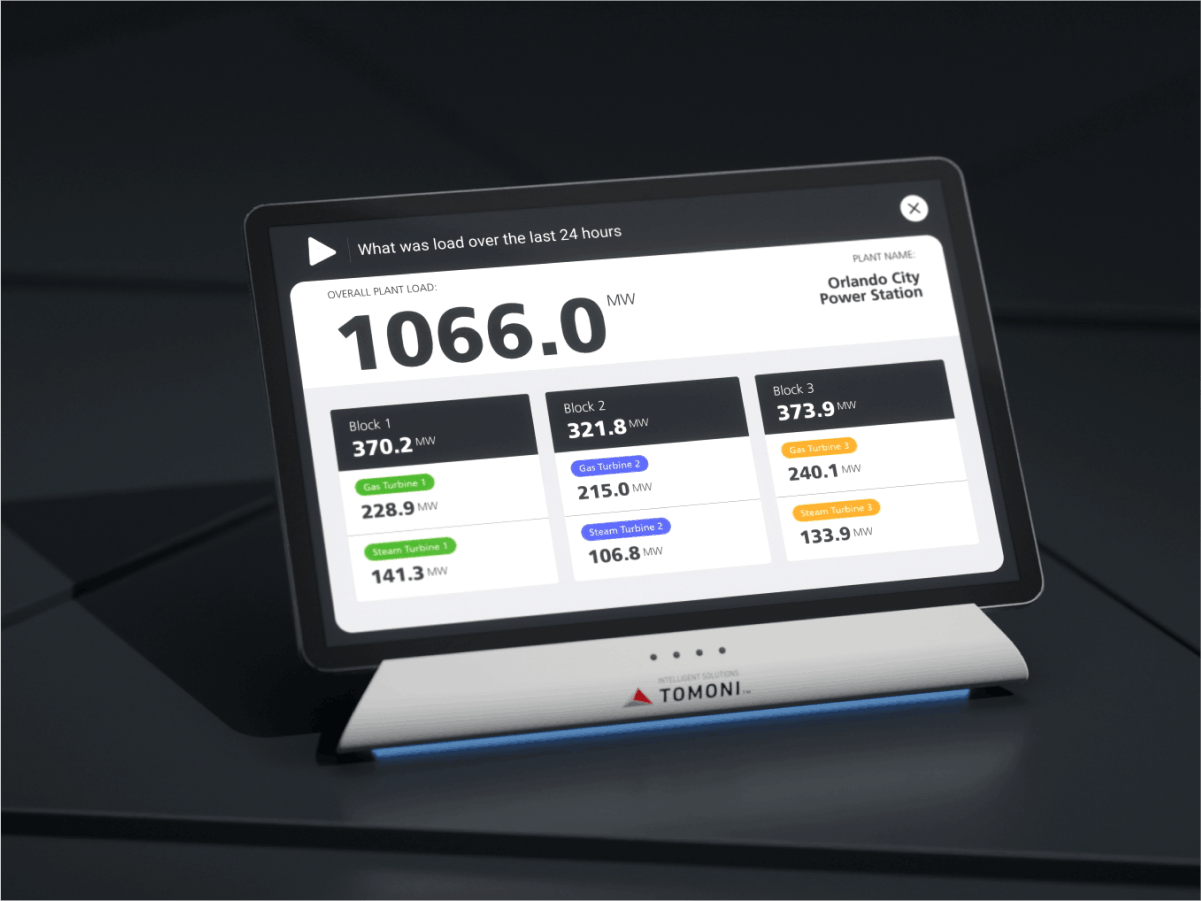
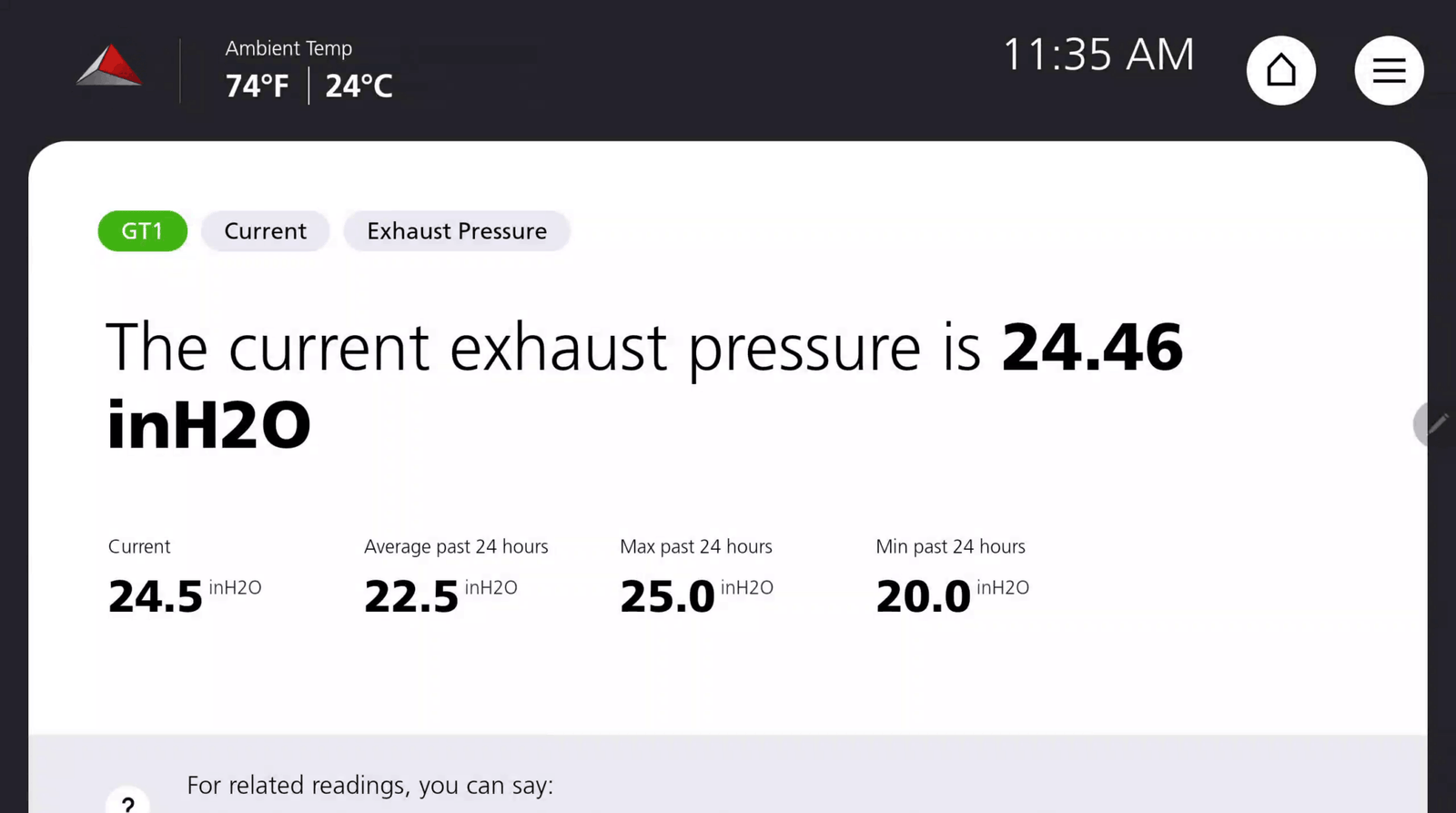
Voice-assisted dashboard presenting current exhaust pressure alongside historical trends to support equipment monitoring.
Outcomes
Contributing to an Enterprise Platform
Tomoni Hub was designed to help power plant operators monitor equipment, access operational information, and respond to issues from a single platform.
Because I contributed to one part of a much larger product, I can’t attribute Mitsubishi Power’s published outcomes directly to my work. My contributions centered on dashboard design, information architecture, voice interaction, and document retrieval across the platform.
Mitsubishi Power has publicly reported the following platform outcomes:
145+
Connected Power Plants
680,000+
Live Operational Data Points
24/7
Remote Monitoring & Diagnostics
2 to 4 Days
Less Unplanned Downtime*
3 to 4 Days
Less Planned Downtime*
Millions
Annual Operational Value*
*Published platform outcomes reported by Mitsubishi Power. These results describe deployed TOMONI implementations and are included to provide product context rather than attribute individual impact.
Contributing to a product of this scale gave me experience designing for complex operational environments, working across connected systems, and balancing user needs with technical and organizational constraints.
Reflection
Learning to Design With Incomplete Information
If I could change one thing about this project, it would be spending more time with the people who used the product every day.
Joining after discovery meant many decisions were based on existing research, stakeholder knowledge, and operational requirements. As new questions surfaced, I pushed for additional validation whenever possible. When that wasn’t an option, I worked closely with the project manager and subject matter experts to review workflows, question assumptions, and reduce uncertainty before designs moved forward.
That experience changed how I think about research.
Good design decisions depend on understanding the people doing the work. When direct access isn’t possible, it’s just as important to understand where confidence ends, where assumptions begin, and to be honest about the difference.
To provide the best experiences, we use technologies like cookies to store and/or access device information. Consenting to these technologies will allow us to process data such as browsing behavior or unique IDs on this site. Not consenting or withdrawing consent, may adversely affect certain features and functions.
Functional
Always active
The technical storage or access is strictly necessary for the legitimate purpose of enabling the use of a specific service explicitly requested by the subscriber or user, or for the sole purpose of carrying out the transmission of a communication over an electronic communications network.
Preferences
The technical storage or access is necessary for the legitimate purpose of storing preferences that are not requested by the subscriber or user.
Statistics
The technical storage or access that is used exclusively for statistical purposes.The technical storage or access that is used exclusively for anonymous statistical purposes. Without a subpoena, voluntary compliance on the part of your Internet Service Provider, or additional records from a third party, information stored or retrieved for this purpose alone cannot usually be used to identify you.
Marketing
The technical storage or access is required to create user profiles to send advertising, or to track the user on a website or across several websites for similar marketing purposes.