ENTERPRISE SYSTEMS · WORKFLOW DESIGN
EcoGlobe
Client
Confidential
Role
Lead UX/UI Designer
Timeline
2023-2024
Platform
Enterprise Inventory & Operations Platform

83%
Faster processing
Approximately 6 minutes → 1 minute
87%
Fewer data-entry errors
Approximately 15 → 2 errors per 100 entries
80%
Faster onboarding
Approximately 10 hours → 2 hours
My role
Sole designer from field research to release. I set the product direction with client stakeholders and stayed with engineering through UAT.
Team
Project Manager · 2 Engineers · Client Stakeholders
Scope
On-site Research · Workflow Analysis · Product Strategy · Information Architecture · Interaction Design · Design System (MUI) · Requirements · Stakeholder Management · Design QA · UAT
Tools
Figma · Jira · Confluence
Client name and visuals changed under NDA. The work, decisions, and results are real.
01 Context
A software replacement uncovered a larger operational problem.
EcoGlobe needed to replace an aging internal system used to receive inventory at a metal processing facility. Every incoming item passed through it before moving into production, laboratory processing, and other downstream operations. Because it sat at the very start of the facility's workflow, problems there could affect everything that came after it. The project sounded pretty straightforward at first: modernize the application, improve usability, and give the business something it could keep using as inventory volume grew. But then I went to the warehouse.
Once I saw the work happening around the software, it became clear that the workflow had outgrown the system. Employees were moving inventory through cleaning, photography, weighing, identification, and other stations while the application stayed tied to a shared desktop. The system could record what employees had done, but it did very little to help them while they were doing it.

The cleaning station was one of several stops inventory moved through before employees could finish documenting and processing it.
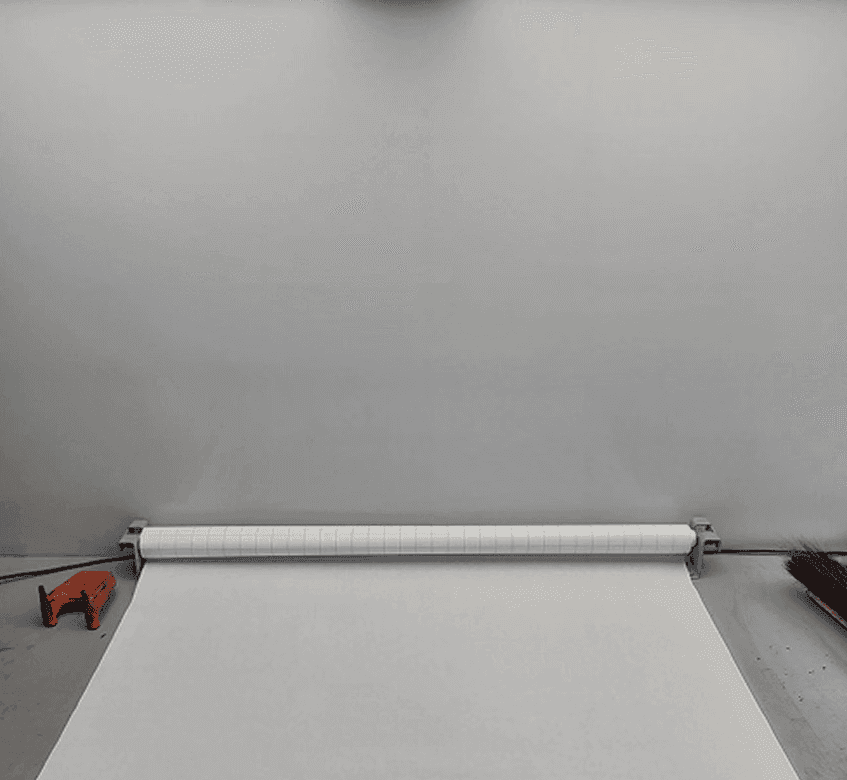
Employees photographed and verified inventory here before it moved further into processing.
02 Discovery
The software and the work had drifted apart.
Before going on-site, I reviewed six months of the client's data on error rates, processing times, and documentation accuracy to set a baseline. My initial request to interview and shadow warehouse employees was declined because leadership was concerned about interrupting production. I proposed a smaller approach instead: follow the work, document recurring patterns, and ask brief questions without stopping the operation.
I spent three days onsite following inventory through receiving, cleaning, identification, photography, documentation, laboratory analysis, and production. I watched where employees moved, what slowed them down, what they had to remember, and where the software interrupted the work. After the observation, I interviewed four people: the department head, a senior employee, and two newer employees.
That research showed the problem was much bigger than an outdated interface. The system assumed a fixed desktop environment, while the work required constant movement. It also exposed years of accumulated functionality that had little to do with the task in front of the employee.
Discovery 01
The software assumed employees stayed at a desk.
Employees moved constantly between inventory, cleaning, photography, weighing, and other stations, usually carrying material with them. The software stayed on a shared desktop, so every update meant stopping what they were doing, walking back to the workstation, entering the information, and then returning to the floor. The inventory was constantly in motion, but tied to a stationary desktop.
Discovery 02
Years of additions had buried the part people actually needed.
The existing application had collected features from different departments over time, so warehouse employees were seeing laboratory tools, reporting functions, shipping information, and administrative options alongside the handful of things they needed to receive inventory. Experienced employees knew what to ignore and what mattered. Newer employees didn't. When someone wasn't sure how to identify, document, or process something, they usually found a coworker who had been there longer. A lot of the knowledge needed to do the job lived with experienced employees instead of inside the system, where people could access it when they needed it.
Discovery 03
Then one employee showed me what he normally did.
During one observation session, an employee struggled with the application, stopped, grabbed a sheet of paper, and said: "You know what... I'll just show you what I normally do." He carried the paper with him as he moved through cleaning, photography, weighing, logging, and processing. Once the physical work was finished, he went back to the desktop and entered everything from his notes. That little sheet of paper explained a lot about the entire situation. Employees had created their own way to keep the work moving because the system couldn't move with them. That was the point where I knew rebuilding the same workflow in a newer interface wasn't going to be enough.

I mapped the receiving process across the physical stations and the system tasks employees had to complete along the way.

Experienced employees could identify many converters from shape alone, which showed how much important knowledge lived in people’s heads.
03 Decisions
Rebuild the system around how inventory moved through the warehouse.
The research showed that a like-for-like replacement would preserve the same problems, so I recommended changing the product direction. Instead of modernizing the existing structure, I worked with the project manager, engineering, and stakeholders to realign the experience around the warehouse workflow itself.
Decision 01
Bring the system to the inventory.
Employees had to keep walking back to a shared desktop every time they needed to update the system. I pushed for moving the core intake workflow onto tablets so they could enter and verify information while they were already with the inventory. This meant more work on the implementation side, but I didn't want us to rebuild the same bottleneck in a newer interface.
Tradeoff 01
More implementation work for engineering, in exchange for removing the walk back to a shared desktop after every task.
Decision 02
Put the knowledge where people were getting stuck.
Newer employees regularly had to stop and find someone more experienced when they weren't sure how to identify, document, or process something. I brought that guidance into the workflow through annotated imagery, examples, contextual instructions, and information tied to the task they were already doing. Some of that knowledge touched proprietary pricing and business information, so I worked through what actually needed to be protected with the client and used permissions to control who could see it. That let us give employees more help inside the product without exposing sensitive information.
Tradeoff 02
Adding guidance meant defining permissions around proprietary pricing, which added rules engineering had to build and maintain.
Decision 03
Rebuild the flow around the way people moved through the work.
The legacy app was organized around its own menus, not the warehouse floor. I reordered the intake flow to follow the order inventory actually moved between stations, so each screen matched the work in front of the person using it.
Tradeoff 03
Reorganizing around the warehouse sequence meant defining every business rule, exception, and status change up front instead of carrying the legacy structure over.
04 Delivery
From workflow decisions to something engineering could build.
I stayed involved as the workflow moved into requirements and implementation. That meant working through the business rules behind the screens: what information was required, what could be checked at entry, who could see certain information, what happened when something fell outside the normal path, and where the data needed to go next.
Before release, four people tested the actual tablet build during UAT: the department head, a senior employee, and two newer employees. They had one issue. A dropdown was too small to hit reliably with heavy industrial gloves, so I made the touch target bigger before launch. Otherwise, the feedback was very positive.

I worked through the information and rules each step needed before moving into the interface, including what employees had to enter, what the system could validate, and what could happen next.

I mapped the logic behind the workflow so engineering could see how different decisions, conditions, and exceptions affected what happened next.

The final intake flow turned the new workflow into something employees could actually move through step by step, with the right information and system behavior built into each stage.
05 Impact
The redesigned workflow made intake faster, easier to learn, and less error-prone.
After launch, the client reported through the project manager that processing dropped from about 6 minutes to 1 per item, data-entry errors fell from about 15 to 2 per 100 entries, and onboarding went from about 10 hours to 2.

The workflow became faster, easier to learn, harder to complete incorrectly, and less dependent on tribal knowledge.
06 Reflection
The people closest to the work showed me where the system was falling short.
I went into EcoGlobe thinking I was redesigning old software. What changed the project was getting close enough to the work to see that a better version of the same application would still leave the larger operational problems in place.
The physical workflow, training, access to operational knowledge, system rules, and existing processes were all part of the experience. That project changed how I approach enterprise product work. I pay much more attention now to where the work actually happens, what people are compensating for, and what the system is asking them to carry in their heads.
I still use that approach today. Before I start changing the interface, I want to understand how the work is really getting done and where the product is helping or getting in the way.

